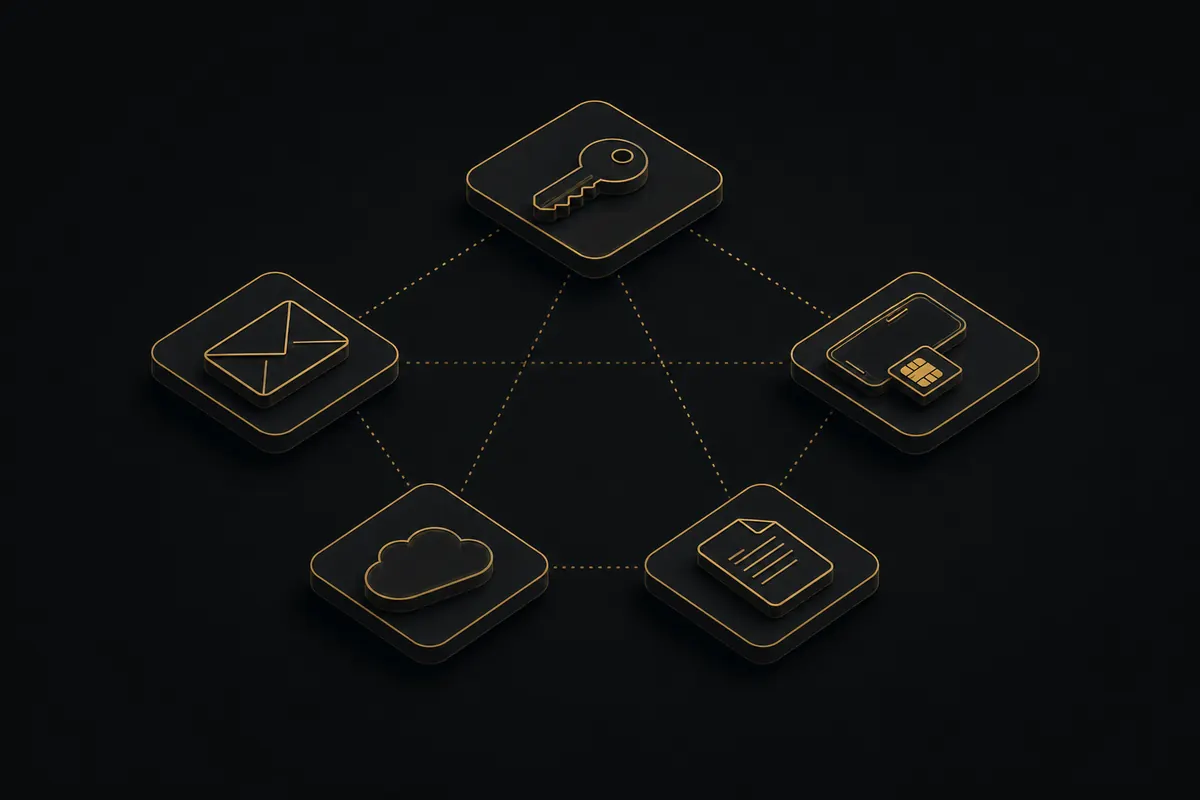
Most breaches start with habits, not hacks. Three of them do the heavy lifting: reusing passwords, relying on SMS for two-factor auth, and routing everything through one mailbox. If two describe you, the other seven mistakes in this article almost certainly apply too. Quick self-check at the bottom.
Digital hygiene is the baseline discipline for handling passwords, accounts, email, cloud storage, files, and public profiles. It cuts down the data about you sitting in the open and closes off routine leaks. Below are the 10 mistakes that most often create risk for entrepreneurs, investors, public figures, and the people close to them — and what to do about each.
What digital (cyber) hygiene is, and how it differs from OPSEC#
Digital hygiene — often called cyber hygiene — covers the common risks: reused passwords, weak two-factor authentication, phishing, open sessions, excessive app permissions, accidental disclosure of personal data. It's the first layer of personal security, but it isn't OPSEC, which starts from the question of who could collect what about you (see What Is OPSEC, and for the practice, OPSEC in Practice for executives).
| Digital hygiene | OPSEC |
|---|---|
| Covers common, generic risks. | Built around a specific threat model. |
| Works at the level of passwords, 2FA, email, devices, and cloud. | Accounts for assets, public exposure, surroundings, business, and the cost of a mistake. |
| Suitable for everyone as a baseline discipline. | Needed when a mistake can lead to financial, reputational, or operational damage. |
Hygiene answers one question: How clean are my baseline digital habits?
OPSEC asks a different one: What can someone deliberately collecting information about me actually see?
Why these mistakes are dangerous for businesses and public figures#
The cost of the same mistake depends on who makes it.
For an ordinary user, a reused password usually ends with a hijacked social account. For a business owner, that same reused password opens the mailbox holding contracts, negotiations, lawyers' details, and financial documents.
A geotag on a vacation photo is a minor curiosity for a private person. For a public figure, it becomes a fixed point that gives away the home neighborhood, regular routes, the people they spend time with, and the daily schedule.
Weak 2FA on an executive's account is rarely a personal problem: it opens the door into the corporate environment. A compromised investor mailbox does more than leak messages — it costs a position in a live deal.
That's why, for an entrepreneur, public figure, or high-net-worth individual, digital hygiene isn't a set of generic tips but part of working with a threat model and a digital footprint.
The 10 digital hygiene mistakes#
The summary table is below; each mistake is broken down underneath it.
| # | Mistake | Why it's dangerous | Quick fix |
|---|---|---|---|
| 1 | Reused passwords | One breach opens every other account | Password manager, unique password per service |
| 2 | Weak or SMS 2FA | Code interception, SIM swap | Passkeys / TOTP / hardware key |
| 3 | One mailbox for everything | Single recovery root for all access | Split into root / work / daily |
| 4 | Forgotten accounts | Live data and open sessions | Yearly inventory, deletion |
| 5 | Excess sessions and access | One device is a node to your whole life | Separate environments, audit rights and sessions |
| 6 | Sloppy cloud storage | Everything mixed plus stale links | Data tiers, encryption, access review |
| 7 | Personal details in public profiles | A profile built from open sources | Rules for you and your circle, delay |
| 8 | File and photo metadata | EXIF and author reveal address and context | Strip metadata, disable geotags |
| 9 | Phishing and social engineering | Context-driven attacks, BEC, deepfakes | Verify through a second channel |
| 10 | Data in AI services | Leaves your control, logs, training | Redact, enterprise or local models |
1. Reusing passwords#
One password, or a slight variation of it, ends up in a personal mailbox, a work account, a cloud, a marketplace, an old forum, a delivery app, and a booking service.
The danger here is not personal targeting. It's that old service breaches happen constantly. When a password from one of those breaches matches your current one, access to a throwaway account turns into access to one that matters.
A typical chain looks like this:
- A password for a long-forgotten forum shows up in a breach dump.
- It, or a variation of it — the same base with a different digit at the end — opens your current mailbox.
- From the mailbox, the attacker resets access to your cloud, messengers, work systems, and financial dashboards.
What to do:
- use a password manager;
- generate a unique long password for each service;
- stop using manual variations like
Password2024,Password2025,Password2026; - apply extra protection to the root accounts: mailbox, primary cloud, work systems;
- audit old accounts for password overlap.
A password manager isn't primarily about convenience. It exists to sever the chain between services: a leak in one place shouldn't unlock your whole digital perimeter. Solid options are catalogued in the independent Privacy Guides shortlist, from Bitwarden and 1Password to Proton Pass.
2. Missing or weak two-factor authentication#
2FA is often either disabled or set to SMS. For critical accounts, that's not enough.
SMS codes can be intercepted, forwarded, or pulled off through a SIM swap. The FBI logged $68 million in losses from this scheme in 2021 alone among US victims. If you're publicly visible, hold significant assets, or run a business, your phone number becomes a target on its own — see what a phone number reveals about you and how to shut it down.
The attack pattern is brutally simple: your phone loses cell service, and within minutes recovery codes start arriving at the attacker's SIM. By the time you reach your carrier, several accounts may already be gone. If that happens and self-service recovery stalls, we can help you regain control of the account.
A stronger alternative to both SMS and TOTP is passkeys (the FIDO2 standard). The key is bound to your device and to a specific domain, so phishing and AiTM interception (where a fake site relays your code to the real one) simply don't work — the domain can't be spoofed. Google, Apple, Microsoft, banks, and crypto exchanges already support passkeys; for critical accounts they're the preferred option today.
What to do:
- enable 2FA on every critical account;
- move to passkeys instead of a confirmation code wherever they're supported;
- replace SMS with a TOTP authenticator where passkeys aren't available yet;
- use a hardware security key for email, banking, crypto services, and work accounts;
- store backup codes separately, ideally offline;
- audit which accounts are still tied to your phone number.
SMS as a second factor is acceptable only where no alternative exists and the cost of compromise is low. The EFF Surveillance Self-Defense guide on 2FA walks through the trade-offs between SMS, TOTP, push approvals, and hardware keys.
3. One mailbox for everything#
A single email handles banking, work correspondence, marketplaces, subscriptions, old forums, personal services, and recovery for every other account.
That mailbox quietly turns into a root node. It's exposed in dozens of services, shows up regularly in breach lists, and acts as the recovery key for everything else. Once it's compromised, hacking the rest is rarely necessary: standard password recovery handles the cloud, the messenger, the work account, and the bank.
What to do:
Split your email into at least three tiers:
- Root email. Used only for recovering critical accounts. Never used for sign-ups, newsletters, or public contact.
- Work email. For business correspondence, documents, and professional contacts.
- Daily email. For marketplaces, subscriptions, one-off registrations, and low-stakes services.
The root email should be the most locked-down of the three: unique password, hardware key, minimal connections, no forwarders, no third-party app integrations.
4. Forgotten old accounts#
Over ten or fifteen years, dozens of registrations pile up: forums, old social networks, marketplaces, delivery services, platforms tied to past projects, corporate dashboards.
The account itself is usually harmless. What we find in audits, regularly, is real data sitting inside: name, phone, address, an old email, order history, occasionally identity documents. The passwords are weak, 2FA is absent, sessions haven't been closed in years.
An old account can still be linked to your current email or phone number. Attackers use it for context, for identity verification, or to build a chain of password resets that ends somewhere meaningful today. How an old handle and a forgotten profile lead back to the person behind them is laid out in the piece on finding someone by their username.
What to do:
- run an account inventory once a year;
- search for registrations by your primary email and phone number;
- delete profiles you no longer use;
- rotate passwords where needed;
- close active sessions;
- enable 2FA;
- pay special attention to old corporate dashboards and platforms from previous projects.
5. Excessive sessions and access on personal devices#
A single phone holds everything: personal photos, banking apps, family chats, work email, corporate services, documents, messengers.
Dozens of active sessions accumulate on the device. Apps request access to contacts, location, files, microphone, and camera. Some were installed years ago and the reason for them is long forgotten. If microphone or camera access looks suspicious, check the device deliberately — by its indicators and device-admin apps; the guide on how to check your phone for spyware and tapping walks through it.
In this setup, the phone becomes a single access node to your entire life. The compromise of one device can reach personal data, work correspondence, banking, cloud storage, and corporate services.
The same principle applies in the browser. Dozens of extensions with "read and change all your data on the sites you visit" permissions, one profile for personal and work, and years of accumulated cookies and trackers turn the browser into a surveillance node of its own. On top of that sits the browser fingerprint — a set of parameters (fonts, screen resolution, versions, language, plugin list) that identifies you even without cookies or a logged-in account.
What to do:
- separate critical and routine tasks across different devices;
- audit app permissions on a schedule;
- close old sessions;
- keep separate browser profiles for personal, work, and public environments;
- periodically review your extensions and the permissions they hold;
- at home, use a separate guest Wi-Fi network for visitors' devices;
- once a quarter, sign out of every session on critical accounts and sign back in.
6. Sloppy cloud storage#
A single cloud often holds everything: personal photos, work documents, passport scans, contracts, financial spreadsheets, presentations, archives, and correspondence.
It's accessible from several devices. Sometimes an assistant has access; sometimes a contractor, a former employee, or whoever was sent a "temporary" link years ago. When personal, work, and sensitive material live in the same bucket, the compromise of one account hands over far too much at once.
What to do:
Split data by sensitivity:
- personal: photos, household files, low-stakes documents;
- work: active projects, presentations, routine correspondence;
- sensitive: contracts, scans, financial data, restricted material.
Each tier needs its own access policy. Sensitive data is better kept in a separate environment, with client-side encryption and regular access audits.
One category regularly found in exactly this place — the cloud — is seed phrases and private keys for crypto wallets. A screenshot or note holding a seed phrase in the cloud, email, or photo gallery is the most common way to lose funds, and no hack is required: access to the account holding that photo is enough. Seed phrases don't belong in clouds, notes, or email at all; significant holdings stay on a hardware wallet. More on structuring a crypto holder's environment is in the OPSEC for crypto holders breakdown.
Shared folders and "view" links deserve special attention. A link given to an assistant or contractor "for a week" lives for years until someone closes it by hand — and if a partner service is breached, it surfaces together with the folder's contents. A former assistant, contractor, or lawyer should not keep access after the engagement ends.
7. Personal details in public profiles#
Social media, interviews, corporate bios, and public profiles routinely carry details people don't think of as sensitive: children's names, school, neighborhood, favorite restaurant, car model, assistant's name, vacation spots, regular routes. Each detail looks minor on its own. Combined, they form a profile assembled entirely from open sources.
A separate risk comes from the people around you. A locked-down personal profile won't help if a spouse tags geolocations, children post photos from inside the house, an assistant publishes the schedule, and employees show office details in stories. Household staff belong on that list too: what a nanny or driver posts about the family, and how a work agreement closes it, is covered in how to vet a nanny.
What this enables:
- a map of habits and movement patterns;
- a clear picture of your social circle;
- preparation for targeted phishing;
- social engineering attempts;
- pressure points and reputation attacks through family, staff, and contractors.
What to do:
- periodically search for yourself by name to see what's visible;
- review what people around you are publishing;
- agree with family on geotagging and home photo rules;
- set publication guidelines for assistants and staff;
- post sensitive locations with a delay;
- don't show documents, screens, badges, license plates, or distinctive interior details.
8. File and photo metadata#
Photos and documents are routinely published or forwarded without stripping their metadata.
A smartphone photo can carry EXIF data: coordinates, date, time, device model, sometimes camera orientation. Many platforms strip this on upload, but not all of them. Send the original file through a messenger and the metadata often survives. Word and PDF documents carry similar baggage: author, organization, revision history, comments, old versions of fragments you thought you'd deleted.
A single image can reveal a home address. A series of photos reveals a routine. A document with revision history reconstructs the author, internal wording choices, and everyone involved in drafting it.
What to do:
- disable geotagging in the camera app by default;
- check metadata before publishing;
- for sensitive photos, strip EXIF (with a tool like ExifTool) or take a screenshot instead;
- remove document metadata before sending;
- remember metadata is not the only channel: the face in the photo is searchable on its own — see finding someone by photo;
- avoid forwarding originals when an export will do;
- review PDF and Word files before sending them to external recipients.
9. Inattention to phishing and social engineering#
Targeted phishing rarely looks like a clumsy email full of typos.
A note from "your lawyer" arrives the day a deal is actually being discussed. A call from "your partner's assistant" sounds convincing because the partner's name is public. A voice in an audio file sounds like a real person because there's enough recorded public speaking to clone them.
The technology behind these attacks matters less than the context. The more data about you exists in open sources, the easier it is to assemble a request that looks completely normal.
This can look like:
- an urgent request to pay an invoice;
- updated banking details from a counterparty;
- a document "for a quick review";
- a message from someone you know with an unusual ask;
- a call in a voice you recognize.
What to do:
Set a verification protocol. Any urgent request, change of payment details, money transfer, document access grant, or operation confirmation gets verified through a second independent channel — not the messenger that delivered the message, but a known-good phone number, a personal contact, a video call, or an in-person meeting.
The typical scenario this protects against: a day before a scheduled payment, an accountant receives a message "from a partner" with new bank details, and the name, context, and writing style all match the partner's correspondence quoted in the press. The only thing that stops that payment is an internal rule requiring voice confirmation of any payment-detail change at a known-good number.
10. Sensitive information handed to AI services and third-party platforms#
Documents get uploaded to public AI tools for translation, summarization, editing, contract analysis, or drafting a reply. Financial models get opened in cloud spreadsheets. Business correspondence gets pasted into a chatbot.
Data submitted to a third-party service is no longer under your direct control. It can sit in logs, train future models, pass through contractor infrastructure, be reviewed by employees, or end up in a breach of the platform itself. A separate risk: employees who upload corporate documents through their personal AI accounts — the company may formally prohibit it, and they do it anyway, because it's faster.
What to do:
- never upload to a public AI tool what you cannot afford to disclose;
- before uploading, redact: names, amounts, payment details, addresses, context;
- for sensitive work, use local tooling or enterprise solutions with transparent data policies (for example, ChatGPT Enterprise explicitly states that inputs and outputs are not used to train models);
- define for your team which categories of data can be processed through AI and which cannot;
- monitor employees' personal AI accounts if they handle company documents.
Digital hygiene checklist: how to check yourself#
Three matches out of ten is hard to dismiss as a minor slip — usually it's the sign of a pattern.
- Are the same or similar passwords used across different services?
- Is SMS still the second factor on any critical accounts?
- Are banking, cloud, messengers, and work services all tied to the same email?
- Can you name every service you've registered for in the past ten years?
- Are there active sessions in apps you haven't opened in months?
- Does one cloud hold your personal, work, and sensitive material together?
- Are the people around you publishing details you wouldn't post yourself?
- Is metadata stripped before you send photos or documents?
- Is there a verification rule for urgent messages, payments, and changes to counterparty details?
- Are work documents uploaded to public AI tools?
When you need a digital footprint audit#
Digital hygiene covers the baseline. It doesn't show how you look from the outside: what can be found about you, what data points connect, and what risk scenarios can be built on that foundation.
A digital footprint audit is closed analytical work: we map what data about you, your family, your team, or your business is available in open sources, breach data, accounts, cloud storage, documents, and the publications of people around you, and turn it into a risk map with priorities — what to close immediately, what to handle later, and what doesn't meaningfully affect real-world security.
An audit makes sense when:
- your public profile has grown;
- a major deal is being prepared;
- new assets or partners have appeared;
- assistants, security staff, lawyers, drivers, or contractors have changed;
- a leak or suspicious activity has already happened;
- you're moving toward a more private way of living and working.
FAQ#
How do I know if my data has already leaked?#
A basic check starts with breach aggregators like Have I Been Pwned, which shows whether your email has appeared in known breaches. That's only the surface layer. To work through each channel in order — email, phone, password, and stealer logs — see the separate guide on how to check whether your data has been breached.
Can I completely remove myself from the internet?#
Completely, no. You can substantially reduce your digital footprint: remove unnecessary publications, close old accounts, limit data visibility, and set rules for the people around you. The legal levers (GDPR, US data-broker opt-outs) and the full sequence are in the guide on removing your personal information from the internet.
Are passkeys safer than SMS and authenticator codes?#
Yes. SMS is intercepted through SIM swaps, and a TOTP code can be phished or captured in an AiTM attack. A passkey (the FIDO2 standard) is bound to a domain and a device: on a spoofed site it simply won't fire, because the domain doesn't match. For email, banking, and crypto accounts, passkeys or a hardware key are the preferred second factor.
Conclusion#
A shared password chains accounts together. One email for everything turns recovery into a master key. A phone without task separation mixes personal, professional, and financial. A geotagged photo gives up a location, and a document uploaded to a random service can live in someone else's infrastructure for years. Each mistake looks small on its own; together they assemble into a digital footprint that's clearly visible from outside.
Digital hygiene closes the common risks. After that, OPSEC begins: working with a specific threat model, your circle, your assets, and the actual cost of a mistake. If you recognized yourself in more than three of these mistakes, it's worth seeing the full picture before someone else does. Consultations are handled in strict confidence.